


This is a sponsored conversation written by me on behalf of Cricut. The opinions and text are all mine.
Hey guys!! I am constantly looking for unique and new ways to use my Cricut Maker and my Cricut EasyPress. I have wanted for a long time to try out applying Iron On onto leather and today’s the day that I finally did it.
It turned out better than I expected! So let me walk you through the steps.


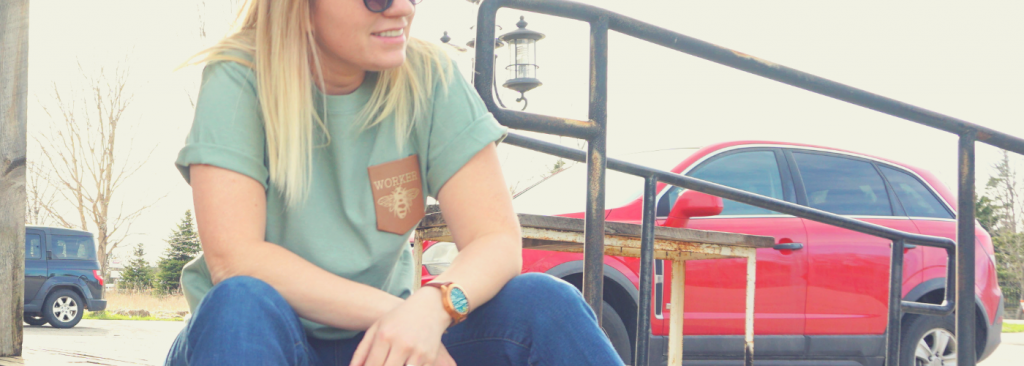
I thought it would be cool to make a leather pocket for a t-shirt and I had this Genuine Leather from Cricut.
Disclosure: This post is sponsored by Cricut. All opinions are my own. Also, this post contains affiliate links – should you choose to purchase through these links I make a small commission at no cost to you.
Leather Shirt Pocket
For this project, I used:
To begin the project, I created my design in Design Space. I found this bee image under the image search.


I imported the image into my DesignSpace and ungrouped the image to remove the smaller bee since I wouldn’t be needing it.

For the word “WORKER” I chose the font, Typewriter Font.


Once I had my design ready, I needed to design a pocket shape to cut.
I couldn’t find a pocket template on DesignSpace all ready to go, so I made my own. I made a quick video to show you how I did this.

I used my Cricut Maker to cut and score the Leather.

You can see the sharp and precise score lines in this photo. This is why I love the Cricut Maker.


Once the Maker had cut out my pocket, I folded the leather along the score lines and I used E6000 to glue it.
I opted for E6000 because this Leather is Genuine Leather and really thick. It was too hard to hand sew and it would never make it through my sewing machine.
I used this clips to hold the Leather in place while the glue set.


When the glue was completely set, I removed the clips and applied my Iron On design.

I used my new 12×10 Cricut EasyPress in conjunction with my EasyPress Mat to protect my work surface.

I used a cooling block to cool the leather before removing my transfer paper.

I used HeatnBond to attach the leather pocket to my t-shirt.

Using the HeatNBond with my Cricut EasyPress was so easy! I also got better results than I ever have with a household iron.


I love my new shirt and the leather pocket is so fun!


Before you guys leave, I just want to mention one more thing…
Since I am talking about my EasyPress, I just wanted to show you guys the great totes that Cricut now has to house and store your EasyPress.
The come in coordinating sizes with the EasyPress machines and since I had my EasyPress out, I wanted to jazz up one of my bags.
I cut out my site logo in Holographic Iron On and pressed it on the front of my 10×12 bag.

I can’t stress enough how great these totes for the EasyPress machines are.

I know that all machines are safe and sound tucked away in these pretty tote bags.

If you’re interested in getting a Cricut EasyPress Tote you can read more info here.

I hope you enjoyed this project. If you have any questions, feel free to leave them below in the comments!