By now, I am sure most people know about the Cricut Joy. For my money, this verstile tiny machine that packs a big punch doesn’t get the spotlight it deserves. That’s why in today’s blog post, I am sharing my most honest review and opinion about the Cricut Joy.
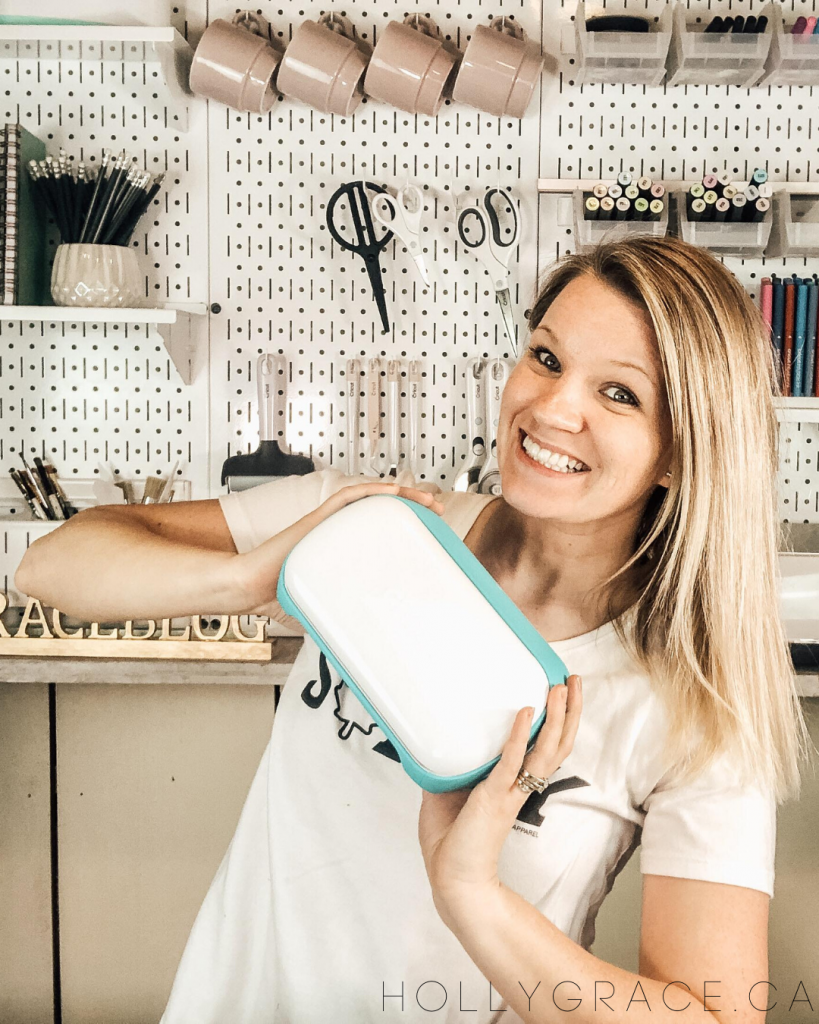
By the end of this post you will understand why I give this tiny but mighty machine a 10/10 rating!
Disclosure: some of the links below are affiliate links, meaning, at no additional cost to you I will earn a small commission if you click through and make a purchase. This post is sponsored by Cricut. All opinions are my own.
The Cricut Joy is a compact and versatile cutting machine that has revolutionized the world of crafting. As a proud owner of this innovative device, I can confidently say that it has become an indispensable tool in my creative endeavours.
First off, let’s answer some common questions that people have when it comes to Cricut Joy.
“Will I use it enough for it to be worth it?”
One of the primary concerns crafters have when considering purchasing a Cricut Joy is whether they will use it frequently enough to justify the cost. The beauty of the Cricut Joy lies in its versatility and ease of use, making it suitable for a wide range of projects. Whether you are a seasoned crafter or a beginner looking to explore your creativity, the Cricut Joy offers endless possibilities.
From customizing t-shirts and mugs to creating personalized cards and home decor, the Cricut Joy can be used for a multitude of purposes, ensuring that it will not collect dust on a shelf.

What I love most about the Cricut Joy is that it’s easy enough to pull off the shelf for quick and easy projects but that’s not to say that you can’t make beautiful intricate ones, too! Some of my most beautiful projects were made with the Cricut Joy.

“Will I really use it?”
As someone who initially questioned my own crafting abilities and commitment, I can attest to the fact that the Cricut Joy has truly become a staple in my creative process. Its user-friendly design and intuitive software make it accessible to users of all skill levels.

The joy of seeing your designs come to life at the touch of a button is truly unparalleled. Whether you use it for personal projects, gifts for loved ones, or even to start a small business, the Cricut Joy has the potential to become a beloved companion in your creative journey.
“What can I make?”
The possibilities with the Cricut Joy are virtually limitless. With the ability to cut over 50 different materials, including vinyl, cardstock, iron-on transfers, and more, you can create a wide variety of projects.

Personalized gifts, home decor, party favours, labels, and even custom clothing are just a few examples of what you can make with this cutting machine. The Cricut Design Space software also offers a plethora of pre-designed projects and templates to inspire your creativity, or you can unleash your imagination and create your own unique designs.
Plus, Cricut has made it so easy for its users with the addition of the Cricut Access Subscription. I have been a Cricut Access Subscriber for years now and I will never go back to not having it!
For those that don’t know, Cricut Access Subscription is like a membership that gives you access to a bunch of cool stuff for your Cricut machine. With a subscription, you can use tons of images, fonts, and projects from Cricut’s library without having to buy them individually. It’s like having a key to a treasure chest full of creative ideas that you can use whenever you want. Plus, you might get discounts on other Cricut products too. It’s a great way to get more out of your crafting hobby without breaking the bank!
“What materials can I use with it?”
One of the key advantages of the Cricut Joy is its compatibility with a wide range of materials. Whether you prefer working with paper, fabric, vinyl, or even wood, the Cricut Joy can handle it all. The machine’s fine-point blade allows for precise cutting, while its matless cutting feature simplifies the process even further.

Additionally, the Cricut Joy is compatible with Cricut’s Smart Materials, which eliminate the need for a cutting mat, making the crafting experience even more convenient and efficient.
“Am I worth it – to spend this on myself?”
Investing in a Cricut Joy is not just about the machine itself, but also about investing in yourself and your creativity. The joy and satisfaction that come from creating something with your own hands are priceless.
Whether you use it as a form of self-expression, a way to de-stress, or as a means of sharing your talents with others, the value of owning a Cricut Joy extends far beyond its monetary cost. Treat yourself to the gift of creativity and self-discovery – you are worth it.

The Cricut Joy is not just a cutting machine; it is a gateway to endless creativity and self-expression. Its user-friendly design, versatility, and compatibility with a wide range of materials make it a valuable asset for crafters of all levels.
By investing in a Cricut Joy, you are not only acquiring a powerful tool for crafting, but also affirming your own worth and creativity. So, go ahead and unleash your imagination with the Cricut Joy – you won’t regret it.
Frequently Asked Questions (FAQs)
What is the Cricut Joy?
The Cricut Joy is a compact and portable cutting machine designed for DIY enthusiasts, crafters, and creators of all levels. It allows you to easily cut a wide variety of materials including vinyl, paper, cardstock, and more to create personalized projects like cards, labels, decals, and home decor items.
Is the Cricut Joy easy to use?
Yes, the Cricut Joy is known for its user-friendly design and straightforward operation. With its simple setup process, intuitive software (Design Space), and the ability to work wirelessly, even beginners can quickly learn how to use this cutting machine to bring their creative ideas to life.
What materials can the Cricut Joy cut?
The Cricut Joy can cut materials up to 5.5 inches wide and 4 feet long. It can cut popular materials like vinyl, iron-on, cardstock, paper, and Smart Materials (materials specifically designed for the Cricut Joy that do not require a mat for cutting).
Can I use the Cricut Joy with my smartphone or tablet?
Yes, the Cricut Joy can be used with your smartphone or tablet through the Cricut Design Space app. This allows you to design projects on-the-go and send them wirelessly to your Cricut Joy for cutting.
What accessories are available for the Cricut Joy?
There are various accessories available for the Cricut Joy, including different types of blades (Fine Point Blade, Card Mat, etc.), pens for drawing, different types of materials, and carrying cases for easy transportation.
Can I create projects without a computer?
Yes, you can create projects without a computer by using the Cricut Design Space app on your smartphone or tablet. The app allows you to design, customize, and send projects to your Cricut Joy for cutting without the need for a computer.
Is the Cricut Joy suitable for beginners?
Yes, the Cricut Joy is a great option for beginners due to its compact size, ease of use, and versatile capabilities. It’s a perfect starting point for those new to crafting or cutting machines.
Can I use my own designs with the Cricut Joy?
Yes, you can use your own designs with the Cricut Joy by uploading custom images or SVG files into the Cricut Design Space software. This allows you to personalize your projects and unleash your creativity with this cutting machine.



Leave a Reply